Canadian vacation rental PMS buying guide · updated 10 October 2026
How to choose vacation rental PMS software in Canada
Start with the rentals you actually manage: nightly bookings, monthly stays, leases, or a mix. A useful PMS trial should show how those records reach the calendar, your team and the owner statement. This seven-point checklist helps Canadian operators compare vendors using their own properties and a known booking, then decide whether HostHub's workflow fits.
For Canadian hosts, co-hosts and property managers comparing rental management systems before a free trial or migration.
Start a free 14-day trialSeven checks before choosing a PMS
- 01
List every stay type
Count short stays, monthly stays and leases separately. Ask each vendor where these records appear and what changes when a property switches operating mode.
- 02
Map current bookings
Bring one real future booking, a blocked date and a cancellation. Confirm the calendar and booking record show each one correctly before you move more properties.
- 03
Check channel details
Name the booking channels you use. Verify access, listing mapping and which fields each connection carries; iCal shares calendar events and availability, not full pricing or guest messaging.
- 04
Test the team's day
Walk through guest messages, checkouts, cleaning assignments and an exception. Confirm what your team can see and who must approve a change.
- 05
Reconcile an owner month
Compare a sample month of rent, fees, expenses and cancellations with your current statement. Ask how corrections and supporting records are handled.
- 06
Price your actual portfolio
Use your count of short- and long-stay listings to compare the current plan, trial end state, taxes and any channel costs. Read the live pricing terms before subscribing.
- 07
Pilot before switching
Start with one or two representative properties. Keep source records, compare dates and balances on both sides, and expand only after your team signs off.
What you can check in HostHub
- Property, booking and calendar records across stay modes
- Supported channel connections, guest conversations and cleaning tasks
- Owner ledgers and monthly statements for review
Questions to settle before a move
- Confirm current channel support and provider approval for each account; iCal is not a full integration.
- Imports and synchronisation require reconciliation against source records.
- The operator remains responsible for local licensing, tenancy and tax decisions.
See the HostHub workflow
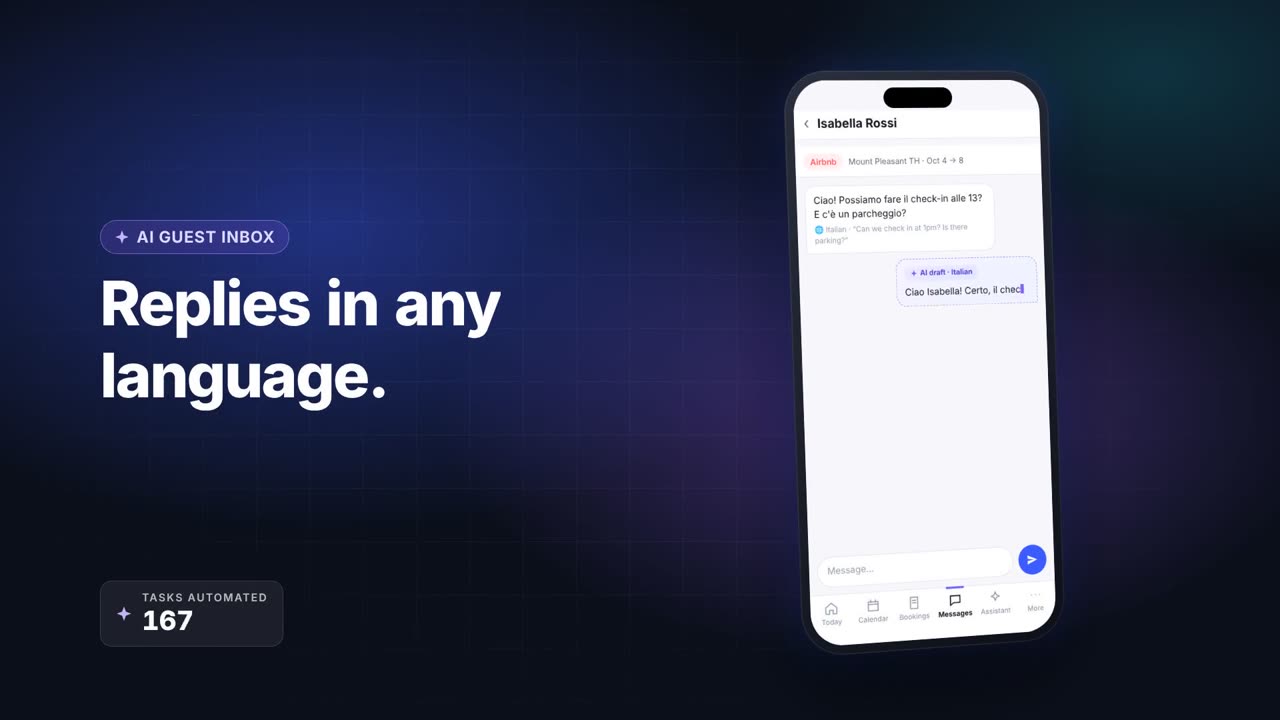
First-party HostHub product overview. Use the trial to verify your own listings, channel access and accounting records.
Source notes
Product workflow checked . Recheck live integrations and trial terms before changing your operation.
PMS selection questions
Is a hotel PMS the same as a vacation rental PMS?
Both organize property operations, but the workflows can differ. If you manage vacation rentals, compare the channels, guest messages, cleaning and owner reporting you need rather than choosing by the PMS label alone.
Should I move every listing during the free trial?
No. Test representative short- and longer-stay properties first, then reconcile a known booking, blocked dates and an owner period before expanding.
Can I test HostHub without a payment card?
The current 14-day trial starts at signup without a payment card. Check the live plan and trial terms before creating an account.
Compare the workflows
- Vacation rental PMS software for short and long stays in Canada →
- Keep your rental channels and calendar in sync →
- Owner statements built from the bookings you manage →
- A practical checklist for moving rental operations into a PMS →
- A daily workflow for short stays and monthly rentals →